S3 Object Storage in Europe: What to Evaluate Before You Store a Single Byte
Object storage used to be an afterthought. You picked whichever provider had an S3-compatible API, pointed your backup scripts at it, and moved on. The assumption was that object storage is a commodity — that one bucket is much like another.
That assumption is starting to cost people money, data, and sleep.
The object storage market in Europe is in a strange place right now. Demand is accelerating — driven by backup strategies, compliance archiving, AI training data, and the sheer volume of unstructured data that organisations produce. But supply quality is uneven. Some providers launched object storage quickly to capture market share, only to hit capacity constraints, multi-day outages, and broken support channels once production workloads arrived. Others offer solid uptime but store your data under US jurisdiction, leaving European organisations to choose between reliability and compliance. If you spend any time in sysadmin or infrastructure communities, you will find people actively searching for European S3 alternatives and coming up short.
If you are evaluating S3-compatible object storage in Europe right now, here is what actually matters — and what most comparison pages do not tell you.
TL;DR
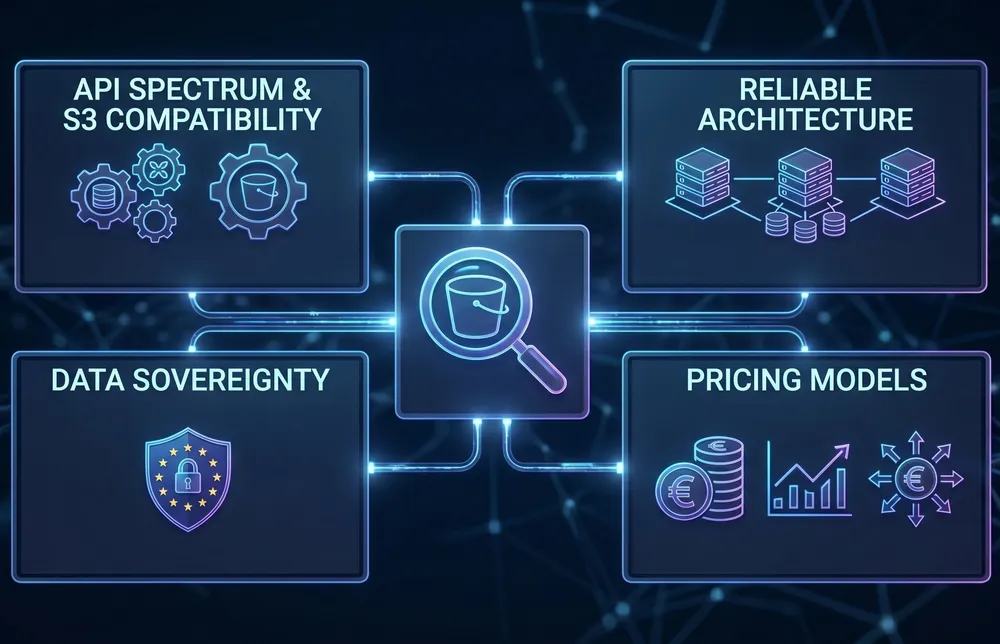
- S3 compatibility is a spectrum. Some providers implement the basics; few deliver the full protocol with consistent reliability at scale.
- Object storage reliability depends on architecture, not promises. Distributed, multi-location designs are fundamentally more resilient than single-site setups.
- Data sovereignty is a legal requirement for European organisations, not a marketing checkbox. Know exactly where your objects land and under whose jurisdiction.
- Pricing models vary wildly. API request fees, retrieval charges, and egress costs can double or triple your effective storage cost.
S3 Compatibility Is a Spectrum, Not a Binary
Every European storage provider claims S3 compatibility. Almost none of them specify what that actually means for your workloads.
The S3 API surface is large. Basic operations — PUT, GET, DELETE, list buckets — are relatively straightforward to implement. But production workloads depend on a much broader set of capabilities: multipart uploads, versioning, lifecycle policies, conditional writes, CORS configuration, pre-signed URLs, and fine-grained access control via bucket policies. The gap between “supports S3” and “fully implements S3” is where applications break, migrations stall, and backup jobs silently fail.
Some providers enforce write-once semantics — meaning you cannot update or overwrite an existing object. That is a legitimate design choice for archival workloads, but it is fundamentally incompatible with applications that expect standard S3 behaviour. If your application writes, updates, and reads objects as part of its normal workflow, a WORM-only implementation will break it in ways that are not immediately obvious during initial testing.
Before committing data, test your actual workflow against the target storage. Not a synthetic benchmark — your real backup tool, your real application, your real data patterns. Run it for a week, not an afternoon.
Reliability Is Architecture, Not a Marketing Promise
Object storage availability is one of those things nobody thinks about until it fails. And when it fails, it tends to fail in ways that cascade — backups cannot complete, application assets become unavailable, compliance archives become inaccessible precisely when an auditor needs them. Some teams have reported their storage being unavailable for days, not hours. At that point, you do not have infrastructure. You have a liability.
The reliability of any storage service is a direct function of its architecture. Two questions matter more than any SLA number on a website:
- How is data distributed? A single-site object store is a single point of failure, no matter how many disks it runs. If all your objects sit in one facility, a power event, a network partition, or a capacity constraint at that facility takes everything offline simultaneously. Some providers offer no replication at all — not even within the same region. Your data exists in one place, in one copy, and if that facility has a problem, the service may simply go down with no failover. Multi-location architectures, where data is encrypted, fragmented, and distributed across multiple independent sites, provide fundamentally different failure characteristics. The distinction matters: a service that mirrors data across three independent facilities can lose an entire site without losing a single byte.
- What happens under load? Some storage platforms perform well at moderate utilisation but degrade sharply when capacity fills or request rates spike. Timeouts, failed writes, and degraded performance during peak usage are symptoms of an architecture that was sized for a smaller workload than it is now carrying. This is particularly insidious when the degradation is location-dependent — one data center region performs fine while another is consistently overloaded because demand outgrew capacity. Ask your provider what happens at 80% capacity. If they cannot answer with specifics, that is the answer.
Rate limits are another area worth scrutinising.
A ceiling of a few hundred requests per second per bucket may be fine for archival workloads, but it is entirely inadequate for serving application assets, content delivery, or high-frequency backup operations.
Understand the limits before you are in production, not after your monitoring alerts start firing.

There is a broader maturity question here. S3 as a protocol has existed for nearly two decades. It is a well-understood, well-documented interface. The tooling is mature. The client libraries are battle-tested. Building a reliable S3-compatible service is not a research problem — it is an engineering and operations challenge that requires proper capacity planning, redundancy design, and operational discipline. If a provider launched their object storage over a year ago and it is still exhibiting the kind of reliability issues you would expect from a beta product, that tells you something about the underlying architecture, not about how hard S3 is to implement.
Data Sovereignty Is a Legal Requirement, Not a Feature
For European organisations, the question of where your data physically resides has moved from a nice-to-have to a legal obligation. GDPR has been in force since 2018, but enforcement is intensifying. NIS2 national implementations are rolling out across EU member states through 2026, with Article 21 requiring explicit supply chain risk assessments — including the infrastructure providers you depend on.
The practical implication: it is not enough to know that your storage provider has a data center in Europe.
You need to know which specific country your data resides in, whether the provider is subject to non-EU data access laws (such as the US CLOUD Act), and whether you can demonstrate localisation in an audit.

Gartner projects sovereign cloud infrastructure spending at approximately USD 80 billion in 2026, with European sovereign cloud growing around 83% year over year. This is not a niche concern. It is the direction the market is moving, driven by regulation, corporate governance, and the practical reality that demonstrating data residency compliance is becoming a procurement requirement for enterprise contracts.
When evaluating object storage, sovereign means more than a flag on a data center. It means: European company, European infrastructure, European jurisdiction, and no legal mechanism for a foreign government to compel access to your data. If your provider cannot demonstrate all four, your compliance position has a gap.
This creates a practical dilemma. The most commonly recommended S3-compatible alternatives — Cloudflare R2, Backblaze B2, Wasabi — are all US-headquartered companies. They may operate European data centers, but the parent company remains subject to US law, including the CLOUD Act. For European organisations that need both reliable S3 storage and genuine data sovereignty, the list of providers that satisfy both criteria has historically been very short. That is starting to change, but it means you need to evaluate the corporate structure of your storage provider, not just the data center address.
The Pricing Model Matters More Than the Price
Object storage pricing has a transparency problem. The headline rate — a few euros per terabyte per month — looks straightforward until you examine what else you are paying for.
A recent survey of over 400 IT leaders found that 95% encountered unexpected charges on their cloud storage bills. Nearly half of total storage costs went to fees beyond the base storage capacity — API request charges, data retrieval fees, replication surcharges, storage class transition costs, and egress bandwidth. On one major hyperscaler, those additional fees added approximately 41% on top of the storage capacity charge.
The pattern is consistent: providers offer a competitive storage rate, then monetise every interaction with your data. Upload costs money. Download costs money. Listing your objects costs money. Moving data between storage tiers costs money. And leaving — moving your data to a different provider — costs the most of all.
Egress fees function as a lock-in mechanism, making the cost of switching disproportionately expensive once your data reaches scale.

When evaluating pricing, do not compare the per-terabyte storage rate in isolation. Model your actual usage pattern: how much data you store, how often you write and read, how much bandwidth your applications consume, and what it would cost to extract your data if you needed to move. The cheapest storage rate is meaningless if the operational costs double the bill.
The Open-Source Storage Layer Is Shifting
If you have been running your own object storage using open-source software, the landscape has changed significantly over the past year.
MinIO, the most widely adopted open-source S3-compatible object store, transitioned from Apache 2.0 to AGPLv3 licensing in 2021. Since then, the community edition has progressively lost features — the web-based admin UI was removed in 2025, and the community repository entered maintenance mode before being archived in early 2026. No migration guide was provided. For teams that built their storage infrastructure around MinIO’s community edition, this created an urgent need to evaluate alternatives.
Alternatives exist — RustFS, Garage, SeaweedFS, Ceph RGW — but most lack the commercial support, ecosystem maturity, and battle-tested production track record that MinIO built over years. For organisations that do not want to bet their storage layer on a small open-source project, or that cannot justify the engineering investment of running and maintaining a storage cluster in-house, managed S3-compatible storage from a trusted provider has become a more attractive option than it was two years ago.
This is not an argument against self-hosted storage. If you have the team, the expertise, and the operational appetite, running your own object store gives you maximum control. But if you are honest about the cost of keeping a storage cluster healthy, patched, and performant 24/7, the comparison with a managed service is worth doing properly.
What to Evaluate Before You Commit
Whether you are choosing object storage for the first time or reconsidering your current provider, here is a practical evaluation checklist:
- Protocol completeness. Does the provider support the full S3 API surface your workloads require? Versioning, lifecycle policies, multipart uploads, conditional writes, bucket policies? Request a compatibility matrix before you test.
- Architecture and redundancy. Where is data physically stored? How many independent locations? What is the replication model? Single-site storage with RAID is not the same as geo-distributed storage across multiple facilities.
- Performance under load. What are the documented rate limits per bucket? What happens when utilisation is high? Ask for specifics about degradation behaviour and capacity planning. Vague answers about unlimited scale are a red flag.
- Data sovereignty. Is the provider a European company operating European infrastructure? Is the data exclusively stored within EU borders? Is there any legal pathway for non-EU government access? Can you prove residency in an audit?
- Cost transparency. What does the total cost look like for your actual usage pattern, including API requests, retrieval, bandwidth, and potential egress? Is pricing predictable month to month, or is it variable based on usage you cannot fully control?
- Encryption and security model. Is data encrypted at rest and in transit? Who holds the encryption keys? Can a single compromised node expose complete objects, or is data fragmented in a way that prevents reconstruction from any single location?
- Support and operational maturity. What does support look like at 3 AM on a Saturday when your storage is down and your application is broken? Can you actually reach a human, or does the support form itself not work? This is not hypothetical — there are providers whose contact mechanisms are as unreliable as the services they are supposed to support. Look for published average response times, 24/7 availability, and a track record of resolving issues, not just acknowledging them.
- Exit cost. How much would it cost to move your data to a different provider? Egress pricing is the clearest signal of whether a provider is confident in retaining you through service quality or through financial lock-in.
Where Worldstream Fits
Worldstream recently launched S3-compatible object storage built on Cubbit’s DS3 Composer technology. The architecture is designed around the principles described above: data is encrypted, fragmented, and distributed across three independent Worldstream data centers in the Netherlands. No single data fragment exists in readable form at any one location, which provides resilience against both facility-level incidents and cyberattacks.
The technology stack is 100% European. Worldstream is a Dutch company operating its own data centers and network infrastructure. Cubbit is an Italian company providing the distributed storage software layer. There is no US-headquartered entity in the chain, which means no CLOUD Act exposure. For organisations navigating GDPR and NIS2 supply chain requirements, that is a straightforward compliance position.
The service supports standard S3 and Swift protocols. 24/7 support with a published average response time of 7 minutes. The architecture is designed for zero technological lock-in — your data is accessible via standard S3 tooling, and you are never dependent on proprietary client software or APIs.
That is the factual picture. Whether it fits your workload depends on your specific requirements for protocol support, performance, and pricing. We would rather you evaluate properly and choose the right fit than make a decision based on a sales page.
The Real Question Is Not Where to Store. It Is What Happens When Things Go Wrong.
Object storage is boring infrastructure. It is supposed to be boring — you write data, you read data, it is there when you need it. The interesting question is what happens when that assumption breaks. When a facility goes offline. When utilisation hits capacity. When a government requests access. When you need to leave. When you need help and someone actually picks up.
The providers that answer those questions with architecture, not marketing, are the ones worth storing a petabyte with.
S3 compatibility means a storage service implements Amazon’s S3 API protocol, allowing you to use existing S3 tools, libraries, and applications without modification. However, the degree of compatibility varies significantly between providers. Some implement only basic operations (PUT, GET, DELETE), while others support the full API surface including versioning, lifecycle policies, multipart uploads, and fine-grained access control. Always verify compatibility with your specific workloads rather than relying on the label alone.